Download
Capture on iPhone. Act on Mac.
Capture contacts at events on iPhone. Review, follow up, and export on Mac.
AttendeeX for iPhone
Scan badges, capture notes, rate meetings, track opportunities. Works offline at any event.
iOS 26 or later

Scan to install
AttendeeX Companion for Mac
Review contacts, draft follow-up emails, connect to your tools via MCP. Pairs with iPhone over local network.
macOS 26 or later
Download for MacVersion 1.1 · 4.2 MB
See it in action
AttendeeX Companion
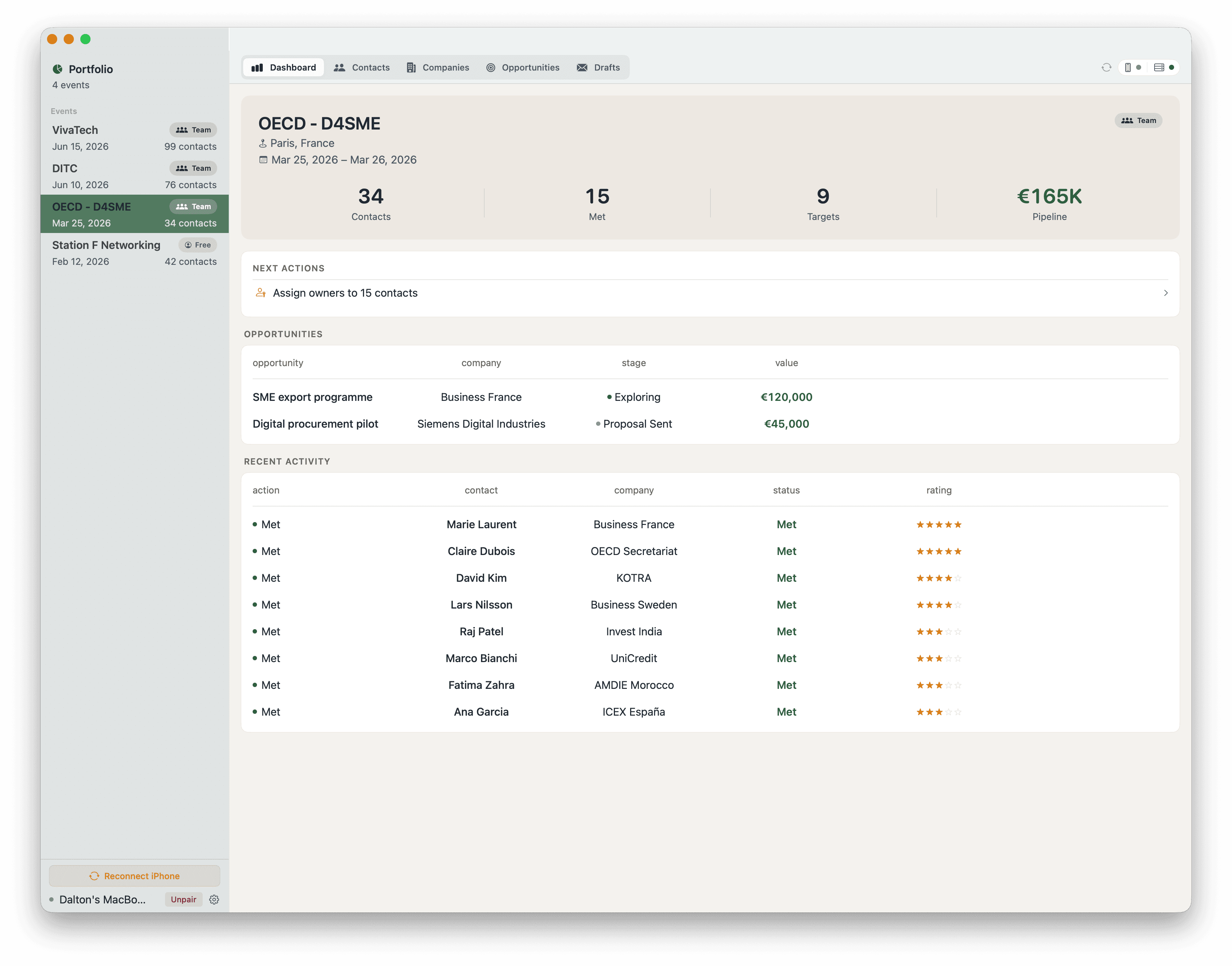
Review contacts, track opportunities, and draft follow-ups, all from one screen.
How it works
Better together
Capture on iPhone
Scan badges, take voice notes, log meetings at the event. Everything syncs to your local device.
Pair via QR code
One scan connects your devices over the local network. Encrypted and peer-to-peer, no cloud required.
Act on Mac
Review contacts full-screen, generate follow-up emails, connect to your tools via MCP.
Companion Features
What the Companion app does
Everything you captured on iPhone, ready to act on from your desk.
Full-screen contact review
Browse every contact with their notes, ratings, and enriched company data on a large display. Filter by meeting status, star rating, or opportunity value.
Follow-up emails
Generate personalized follow-up drafts based on your meeting notes, the contact’s role, and their company profile. Edit and send directly.
Peer-to-peer pairing
Scan a QR code on your iPhone to connect over the local network. Data transfers are encrypted end-to-end. No cloud account required.
Offline-first
All contact data lives on your Mac after pairing. Review, sort, and prepare exports without an internet connection.
CSV and report export
Export filtered contact lists to CSV or generate event summary reports for your team and leadership.
MCP server
Expose your event contacts to AI assistants via the Model Context Protocol. Query contacts, notes, and opportunities from Claude, ChatGPT, or any MCP-compatible tool.